
Protect ads from click fraud and your website from bots
Imagine your website being stormed by thousands of bots every day. They scrape your content, click on your ads, overload your server, and distort your analytics. In your reports, they masquerade as ordinary visitors.
Classic WAF solutions either annoy real customers or let sophisticated emulators slip through. At HaltClick, we took a different approach: we built a server‑side anti‑bot that cuts out parasitic traffic in seconds, while remaining 100% safe for search engines.
According to international reports, malicious bots account for 37% of all internet traffic (2025 Imperva Bad Bot Report). For a website owner, this translates into massive hidden losses.
Bots simulate clicks on Yandex.Direct and Google Ads, burning through your daily budget in just a couple of hours—without generating a single real lead.
Competitors and aggregators use scrapers to copy your product descriptions, articles, and prices. Your unique content loses value, and your SEO rankings drop.
Dozens of fake visits with zero session depth create the illusion of traffic. Marketing decisions based on such data lead to wasted budgets.
An avalanche of scraper requests (programs or bots that automatically collect data from websites) can bring your site down at peak times. Instead of making sales, you face downtime and overage charges.
Automated fake account registrations, form submissions, password brute‑force attempts—all of this erodes audience trust and creates data‑breach risks.
Traditional solutions like CAPTCHA no longer work—they annoy real users and are easily bypassed by AI. What you need is a fundamentally different approach: silent server‑side verification that doesn't ask the user anything, but determines on its own who it's dealing with.
HaltClick Anti‑Bot is a lightweight software module written in PHP and JavaScript. It installs directly on your server or in your CMS and intercepts every incoming HTTP request before it ever reaches your website pages.
Verification is performed locally using metrics loaded from our analytics. We don't depend on cloud proxies and we don't change your DNS—this is your personal anti‑fraud filter. The principle is simple: check → either pass through or block (HTTP 429).
If the browser has already been verified and carries a secure HaltClick cookie, access is granted instantly.
We collect Canvas, WebGL, fonts, resolution, and language. Real devices have unique fingerprints; headless emulators have generic or missing fingerprints.
A script gives the browser an invisible task: execute code, store a cookie. Bots that lack natural movement delays and proper JS execution are weeded out.
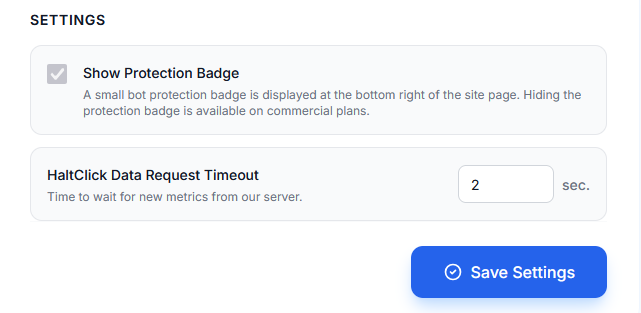
Server Anti‑Bot settings in your dashboard
No «select all traffic lights» or «enter the distorted letters.» Verification takes about a second and looks like a short pre‑loader. Eliminating CAPTCHA increases form conversion by 15–20%—visitors simply don't have time to get frustrated.
The module runs on your server and only contacts our backend once every 10 minutes to fetch the latest fingerprint database. This eliminates latency and external service dependency.
Modern AI services can read graphical CAPTCHAs more accurately than humans, for pennies. Server‑side fingerprinting and behavioral analysis are orders of magnitude harder to fool—an emulator would need to replicate hardware fingerprints and natural motor patterns.
Legitimate crawlers from Apple, Baidu, Bing, DuckDuckGo, Google, Meta, Yandex, and others are automatically verified via IP address checking, while fake bots impersonating search engines are fully blocked. Your indexing and search rankings remain completely secure.
The journey of one visitor from click to landing page.
A user (or a bot) opens the URL of your website.
The HaltClick server‑side handler checks for a valid cookie.
A lightweight page with a script is returned. The browser collects a fingerprint and solves the task.
We analyze the token, cross‑check the fingerprint against our database, and evaluate timing delays.
All clear: issue a 14‑day cookie. Anomaly: return HTTP 429—server resources are saved.
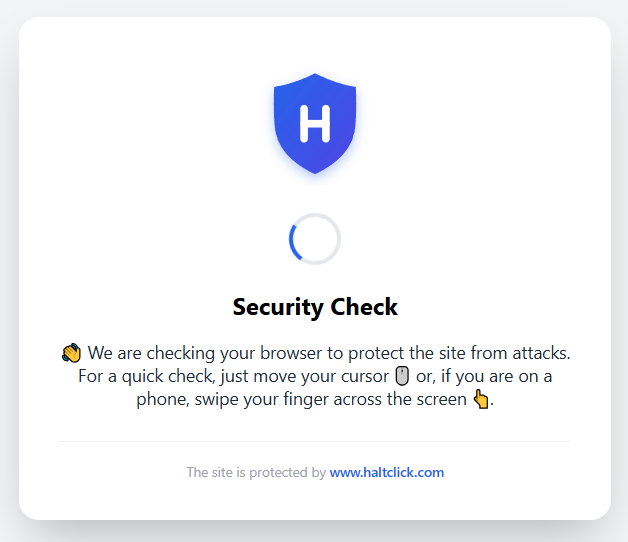
A real visitor sees only a brief flash of a loading indicator.
The bot hits a «wall,» and the block data instantly appears in your HaltClick analytics.
Many clients come to us just to block scrapers, but they stay for the complete security ecosystem. The Anti‑Bot filters out garbage at the entrance, while our click‑fraud protection builds bot audiences for your ad accounts.
of all incoming parasitic traffic (scrapers, emulators).
on your server and database, speeding up response times for real users.
zero‑second visits disappear from Google Analytics.
preserved in contextual advertising before even turning on the protection.
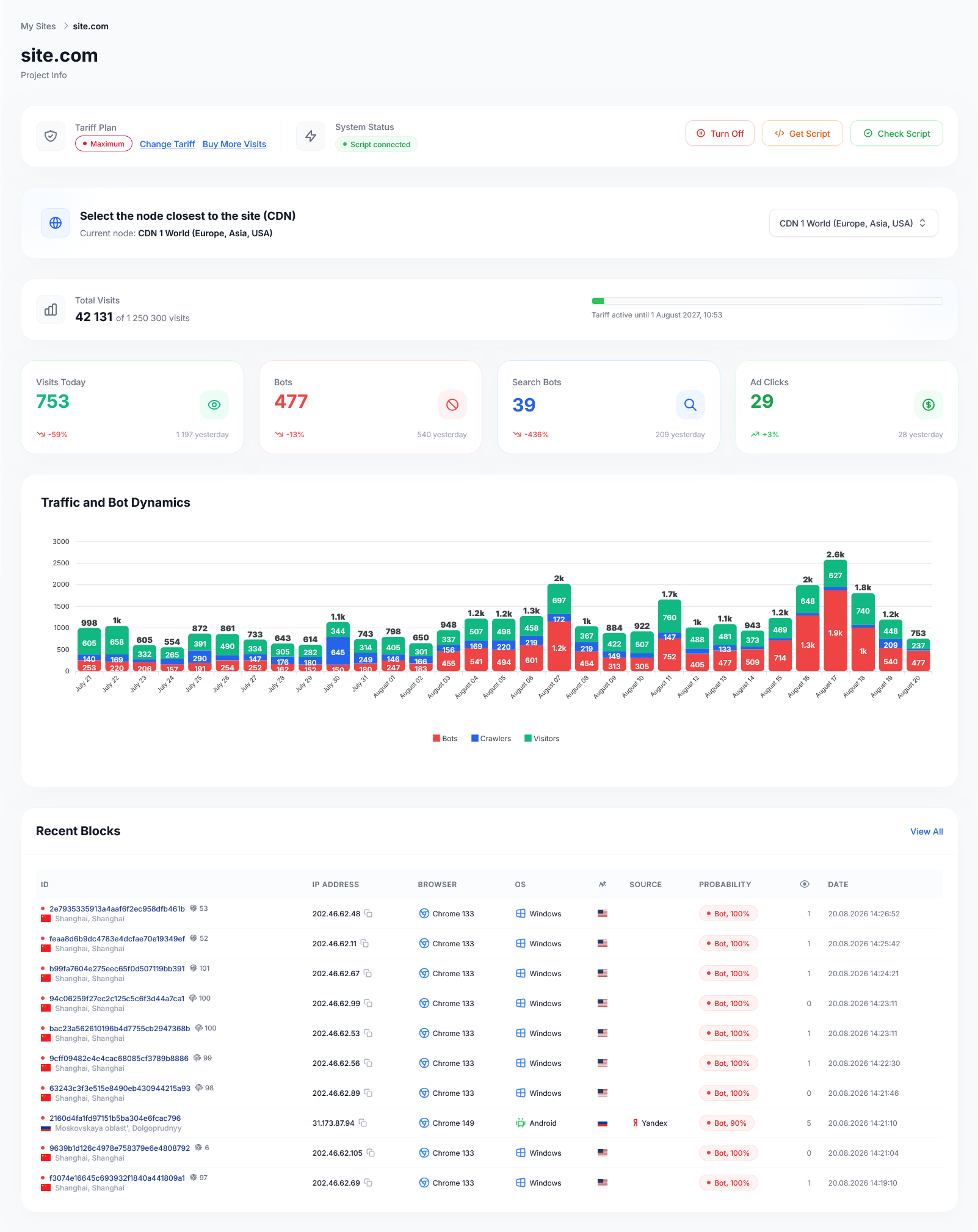
HaltClick Anti‑Bot isn't just protection—it's the foundation for clean data and effective ad campaigns. Stop guessing how much money is wasted on invisible parasites. Try the free plan with 1,000 visits per month.
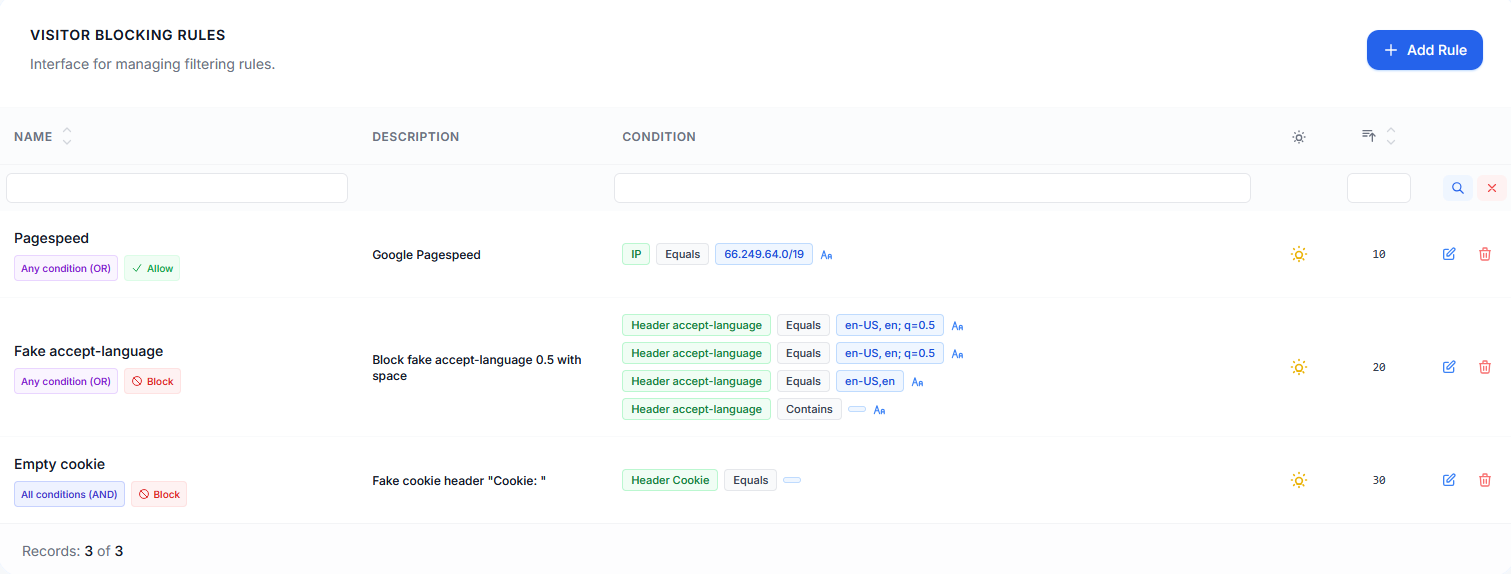
Take Control of Your TrafficIn the «Antibot» section, you have a powerful tool for creating your own access rules. You can add an unlimited number of rules and enable or disable them with a single click.
The check is performed autonomously on your site, causing no delays. The list updates from the server every 10 minutes, so any changes take effect almost instantly.
Rules contain a name, description, sort order, and flexible condition lists. Set up checks by Referer, User Agent, Host, URI, IP, PTR, GET parameters, Lang, and headers.
Combine conditions using AND/OR logic. Various comparison methods are available: equals/not equals, contains/does not contain, starts/ends with, as well as support for regular expressions.
Independently determine the trigger mode: forcibly «Block» suspicious activity or «Allow» access to trusted sources.
Connecting Antibot takes only a few minutes and does not require complex changes to your site's code.
Our support team is always ready to help; leave a request through the dashboard.
Before using Antibot, in your Google Tag code on the site, add gtag('set', 'page_referrer', (() => { try { let r = sessionStorage.getItem('_haltclick_r'); if (r) { return r; } } catch(e){} return document.referrer; })()); to get real referrers in reports.
Download the Zip archive with the antibot module directly from your HaltClick dashboard.
Connect to the site via FTP/SFTP and extract the folder like haltclick-xxxxxxxxxxx into the site's root directory.
Make sure the uploaded folder has write permissions (755 or 775) so the antibot plugin can update its signatures.
Find your content management system or use the universal server-level connection method.
Universal method via .htaccess. The auto_prepend_file directive automatically loads protection before each PHP script execution.
php_value auto_prepend_file "<path_to_directory>/haltclick-xxxxxxxxxxx/haltclick.php"When using PHP-FPM, create a .user.ini file in the site's root directory:
; Connect the protection script at the very beginning of PHP execution
auto_prepend_file = "<path_to_directory>/haltclick-xxxxxxxxxxx/haltclick.php"

; Time limit for the verification script
max_execution_time = 5.user.ini file. Changes take effect within 5 minutes (300 seconds) or after restarting PHP-FPM.auto_prepend_file directive is blocked by the server administrator in php.ini, use the direct script call inside the CMS code (see options below).Use the standard prologue event OnBeforeProlog in the initialization file:
<?php
AddEventHandler("main", "OnBeforeProlog", "HaltClickHandler");

function HaltClickHandler() {
    define('__haltclick', TRUE);
    include($_SERVER['DOCUMENT_ROOT'] . '/haltclick-xxxxxxxxxxx/haltclick.php');
}Connection is attached to the system IP address check hook Index.onBeforeCheckIp in the loader (since version 7.1.7, reinstall update 7.1.7 if necessary):
Core_Event::attach('Index.onBeforeCheckIp', function(){
    define('__haltclick', TRUE);
    include(CMS_FOLDER . 'haltclick-xxxxxxxxxxx/haltclick.php');
});Insert into the core system configuration file:
include($_SERVER['DOCUMENT_ROOT'] . '/haltclick-xxxxxxxxxxx/haltclick.php');Connection via the main configuration file wp-config.php blocks bots even before the WordPress core and database queries start.
include($_SERVER['DOCUMENT_ROOT'] . '/haltclick-xxxxxxxxxxx/haltclick.php');When accessing your site, a verification page should be displayed in the visitor's language (40 languages supported) and then your site should load. If you encounter difficulties, contact our support.
In the haltclick-xxxxxxxxxxx directory there is a config.php file through which you can manage antibot options and exclude URLs from checks.
<?php

return array(
	'skipUrl' => array('/favicon.ico', '/favicon.gif', '/favicon.png', '/favicon.svg', '/sitemap.xml', '/robots.txt', '/llms.txt', '/llms-full.txt', '/apple-touch-icon', '/.well-known'),
	'skipUrlFunction' => function($uri) { },
	'antibotMinFonts' => 5,
	'fingerprintDelay' => 970,
);Array of URL prefixes for which the check will not be performed. Extend it as needed.
A function that allows you to set up flexible checks based on the path or other request parameters.
Minimum number of fonts required to allow access. Many simple bots don't even bother to load basic fonts on the PC from which they send requests.
Time for collecting browser fingerprints, in milliseconds, default 970.
skipUrlFunction function you can perform various checks, for example:'skipUrlFunction' => function($uri) {
// Get client IP
$ip = __HaltClick::getClientIp();
// If IP equals specified addresses
if (in_array($ip, array('11.21.23.24', '22.32.44.55')))
{
return true;
}
// If IP is in the specified subnet
if (__HaltClick::ipCheck($ip, '11.22.23.0/24'))
{
return true;
}
// Do not check for a specific referer
$referer = isset($_SERVER['HTTP_REFERER']) ? $_SERVER['HTTP_REFERER'] : '';
if ($referer === 'https://supersite.com/')
{
return true;
}
},